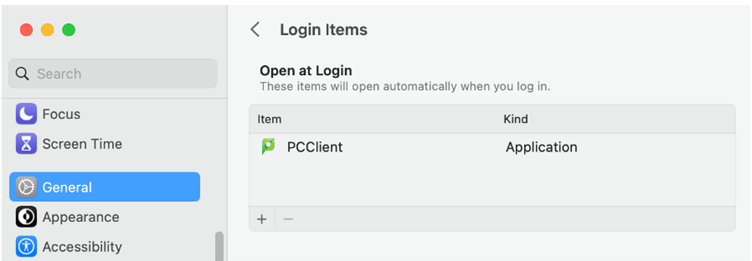
- Open System Settings from the Apple menu.
- Select General > Login Items and look for the Open at Login section.
- Note that on older versions of macOS you may have to go into System Preferences> Accounts, then select your login name and finally select the Login Items
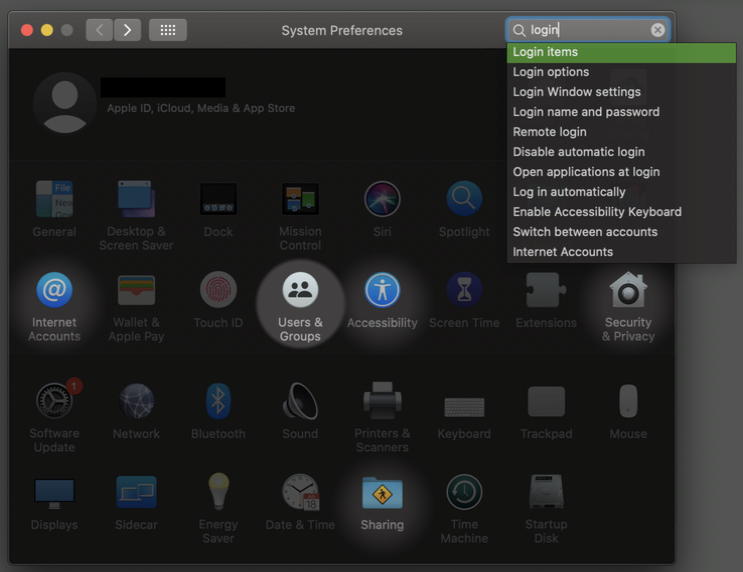
- Note that on older versions of macOS you may have to go into System Preferences> Accounts, then select your login name and finally select the Login Items
- Click + then browse and select the PCClient application (which should now be under your local /Applications folder).